Product design / Practical notes
SaaS Dashboard Empty State UX Guide
An empty screen should help someone understand why there is nothing to see and what they can do next. The right message depends on the cause.
Distinguish first use from zero search results
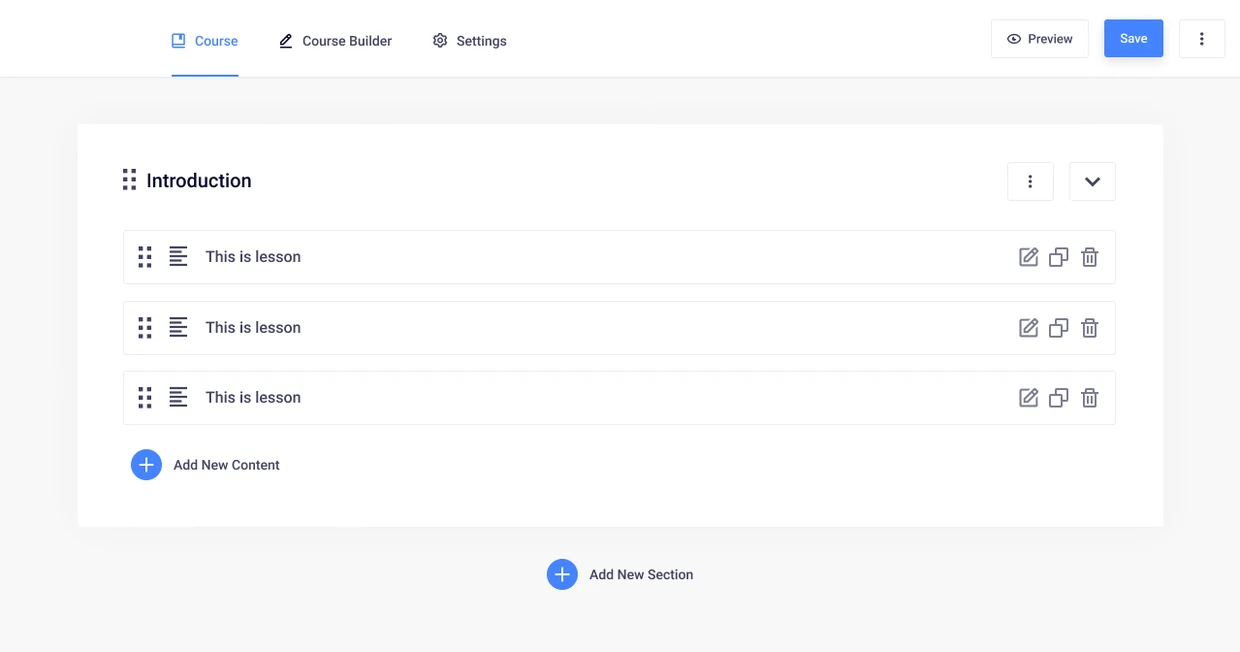
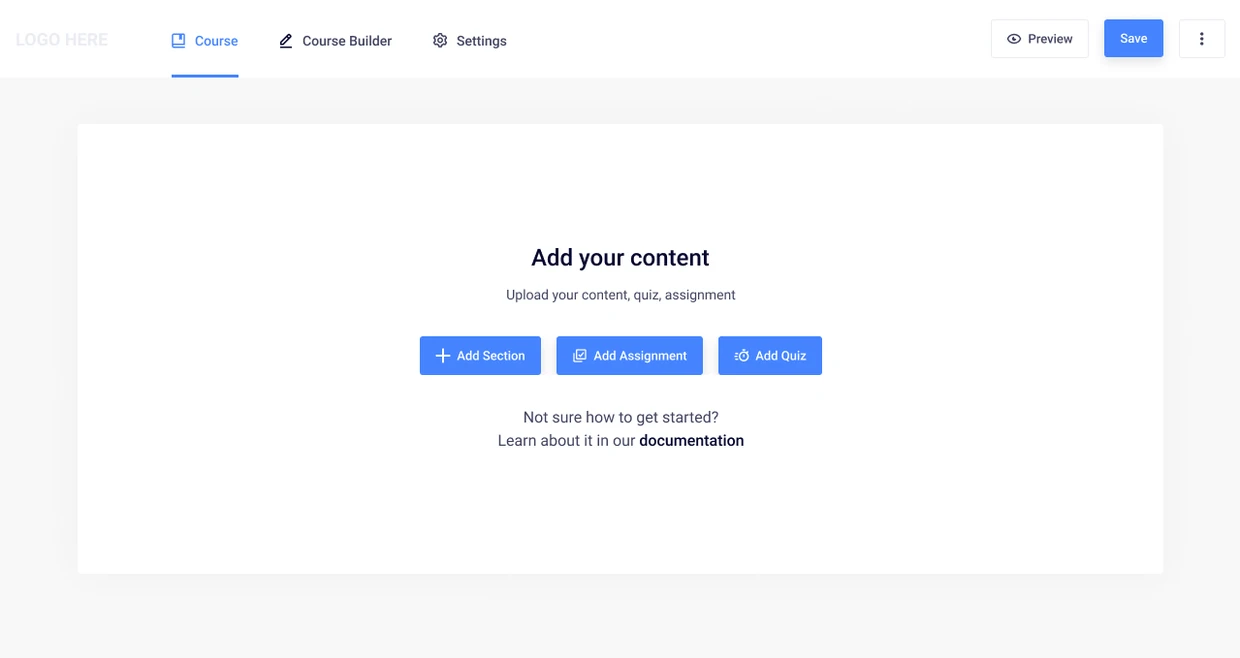
A first course and a search with no matches are different situations. Masteriyo’s empty builder offers ways to add the first content because the author has not created any yet.
The message can be short when the action is clear. It becomes confusing when the same generic Nothing here treatment is used for a new account, a failed search and a permission problem.
Write the cause before the call to action
No data is a description of the display, not an explanation. A new workspace, an over-restrictive filter and a failed request may all leave an empty panel, but they require different messages. Start by writing one sentence about why this result is empty, using only information the application can establish.
Then choose an action that changes that cause. Create your first lead fits an eligible new workspace. Clear filters fits a filtered result. Retry fits some request failures. Using one button for all three can send the person in the wrong direction.
Use a small cause-to-copy worksheet
| Known cause | Possible explanation | Relevant action |
|---|---|---|
| No matching records | No leads match these filters | Change or clear conditions |
| No records created | This workspace has no leads yet | Create or import, if permitted |
| Request failed | We could not load the leads | Retry with retained context |
| Access is insufficient | Use an approved access explanation | Request access when supported |
| Setup is incomplete | Name the missing setup step | Continue setup |
Keep the search in view when nothing matches
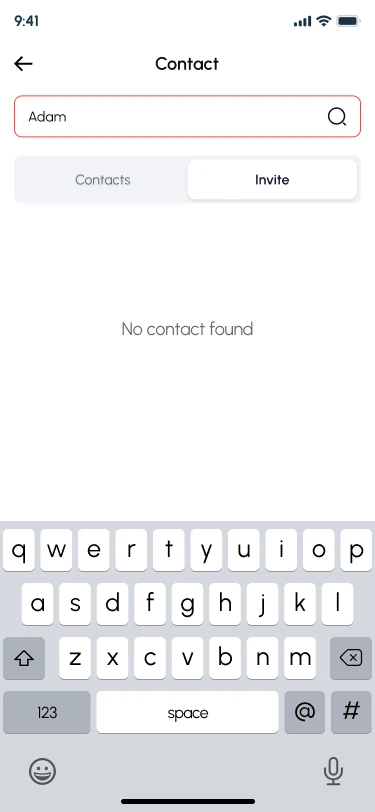
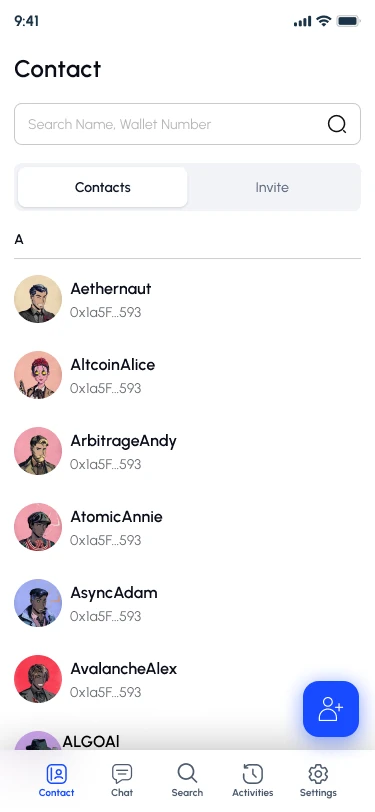
Yarsha’s contact search keeps the query and keyboard visible when it finds no contact. The populated contacts view gives the comparison: the person is still working with the same directory.
The next action should fit that situation. They may need to change a query, add a person or send an invitation. Clearing the query for them would remove useful context.
Keep the message proportionate
A routine search with no matches rarely needs a large celebratory illustration or a paragraph about the product's value. Name the result, keep the query visible and provide a concise continuation. A first-use state may need more explanation because the person has not yet learned the model.
Avoid blame. Invalid input can be described precisely without suggesting carelessness. When the cause is unknown, use an honest loading or error explanation instead of confidently stating that the account contains no records.
Review the words in a transition
Enter a zero-result query, change it and return after data becomes available. Check that the explanation updates with the state and that the recovery action does not discard useful input. Review how the result is announced without forcing unnecessary focus movement.
This guide focuses on the copy and action for one observed state. For product-wide consistency, classify the causes first; for implementation acceptance, test persistence and recovery separately.