Product design / Practical notes
How to Prioritize UX Audit Findings Before a Redesign
Fix the problems that prevent or endanger the task first. Keep confidence visible so a strong opinion does not look like a confirmed defect.
Start with consequence, not the screenshot
A dramatic screenshot is not automatically the highest-priority finding. I start with what the problem prevents someone from doing and what a wrong action could cost them.
Then I ask how certain we are. A reproduced failure, a user report and a design hypothesis can all deserve attention, but they should not carry the same confidence.
Keep confidence visible
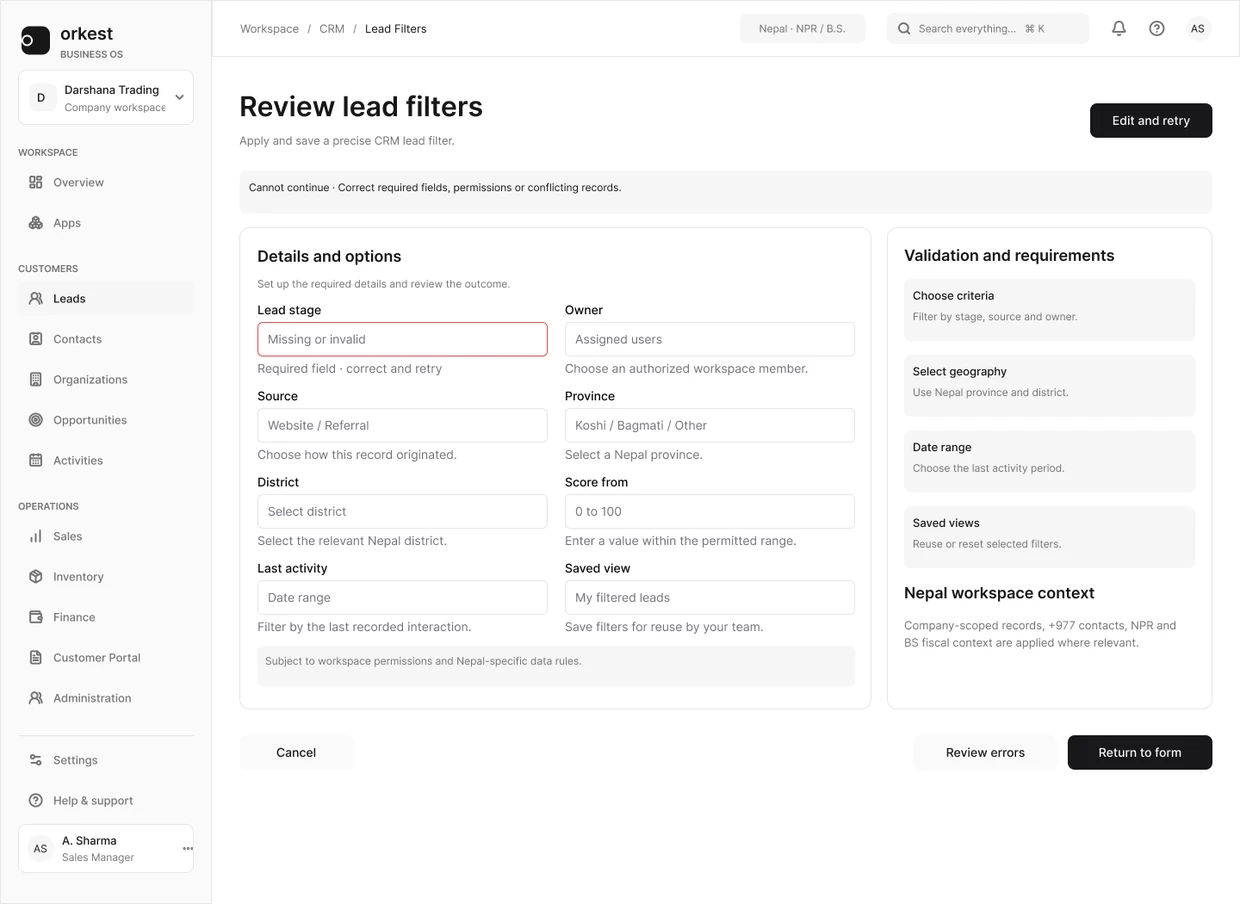
The Orkest filter-error frame is a designed scenario, not a reproduced production incident. It gives a reviewer concrete feedback and retained context to inspect. Severity still depends on the affected task, available recovery and corroborating evidence.
| Evidence state | Reasonable action |
|---|---|
| Reproduced failure | Repair or explicitly accept the known consequence |
| Observed once with clear conditions | Reproduce and investigate while preserving evidence |
| Consistent reported theme | Inspect the affected task and corroborate the cause |
| Expert concern | Frame as a hypothesis or targeted review |
| Preference | Treat as a design choice unless a consequence is established |
Use a repair order the team can explain
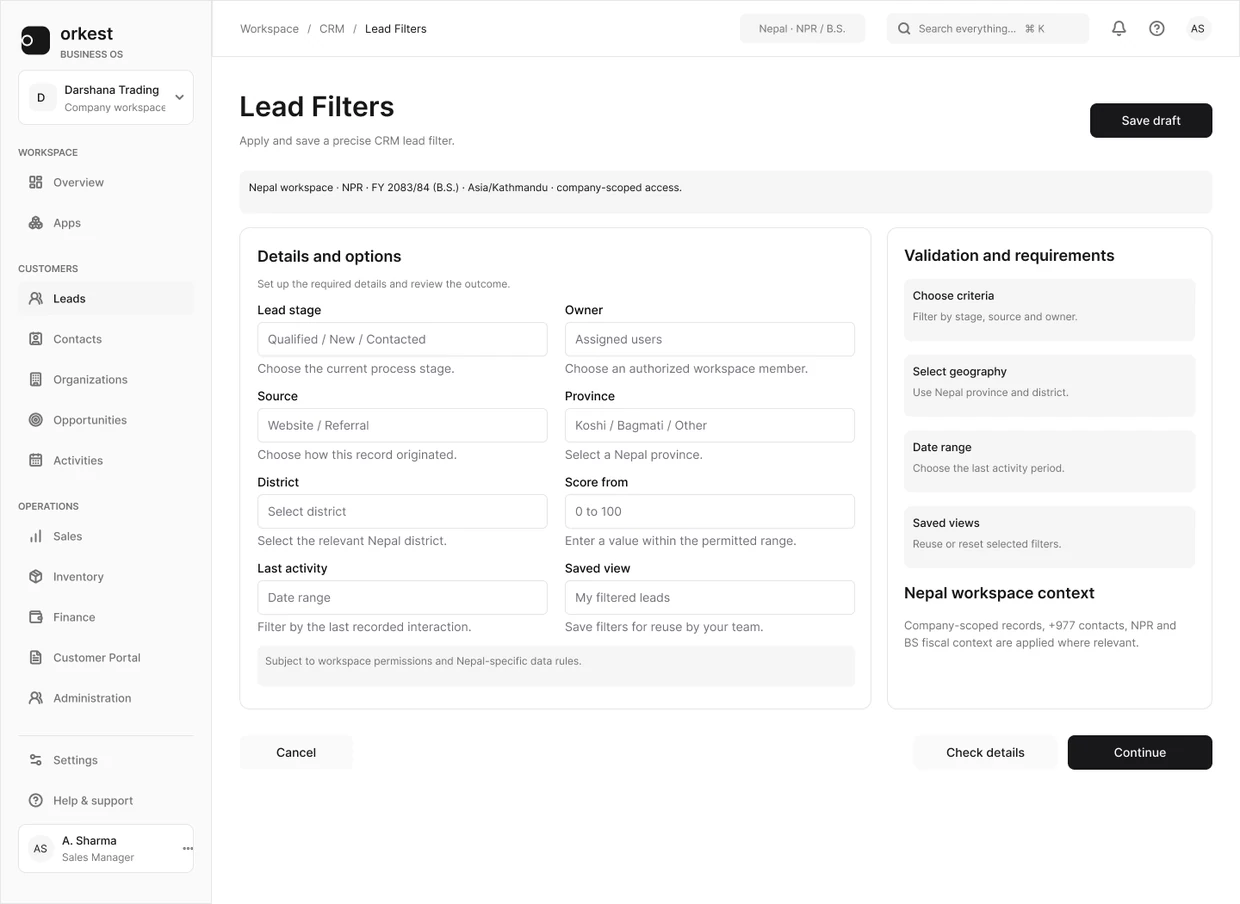
The Orkest filter states are a small example. A visible problem in the filter needs a specific explanation and a way forward; a spacing preference can wait if the task is blocked.
Compare the default panel with the error example, then state the repair and the check that will establish it worked. A precise next action is more useful than an impressive priority score.
Separate quick repair from structural work
An incorrect label may be a small repair with a meaningful benefit. Several inconsistent states may indicate a shared component or data-model problem. Group related symptoms before estimating fixes so the team does not repeatedly patch the same cause.
Also record dependencies. A design repair can be ready while an API contract is unresolved. That does not make the whole item complete, and it should not prevent unrelated verified repairs from moving forward.
Keep a decision ledger
- Finding and affected task.
- Observed consequence and evidence link.
- Severity and confidence, recorded separately.
- Proposed repair and accountable owner.
- Dependency or decision that blocks progress.
- Verification that will demonstrate the repair.
- Reason for accepting or deferring the issue.
Revisit priority after learning
Priority is a current decision, not a permanent property of a ticket. A reproduced failure, a changed release scope or new evidence can change the order. Keep the original observation and record why the decision changed.
A good audit creates a smaller set of consequential decisions and a reliable verification path. Closing a large number of low-value tickets is not a substitute for resolving the task failures that matter.