Product design / Practical notes
Role-Based SaaS Dashboard UX Without Duplicating the Product
Two people can work with the same application and need different screens. Start with what each person can decide, then decide what the interface should share.
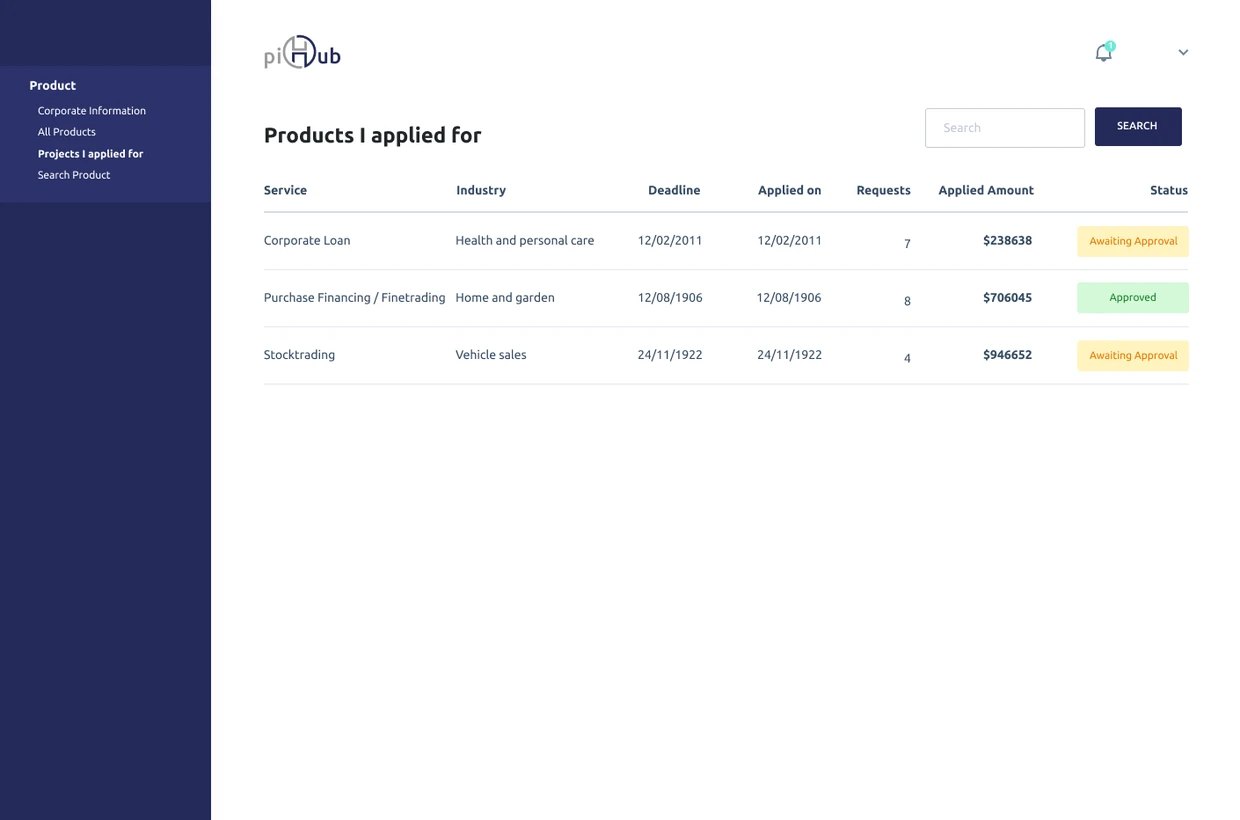
Inspect the investor’s information priorities
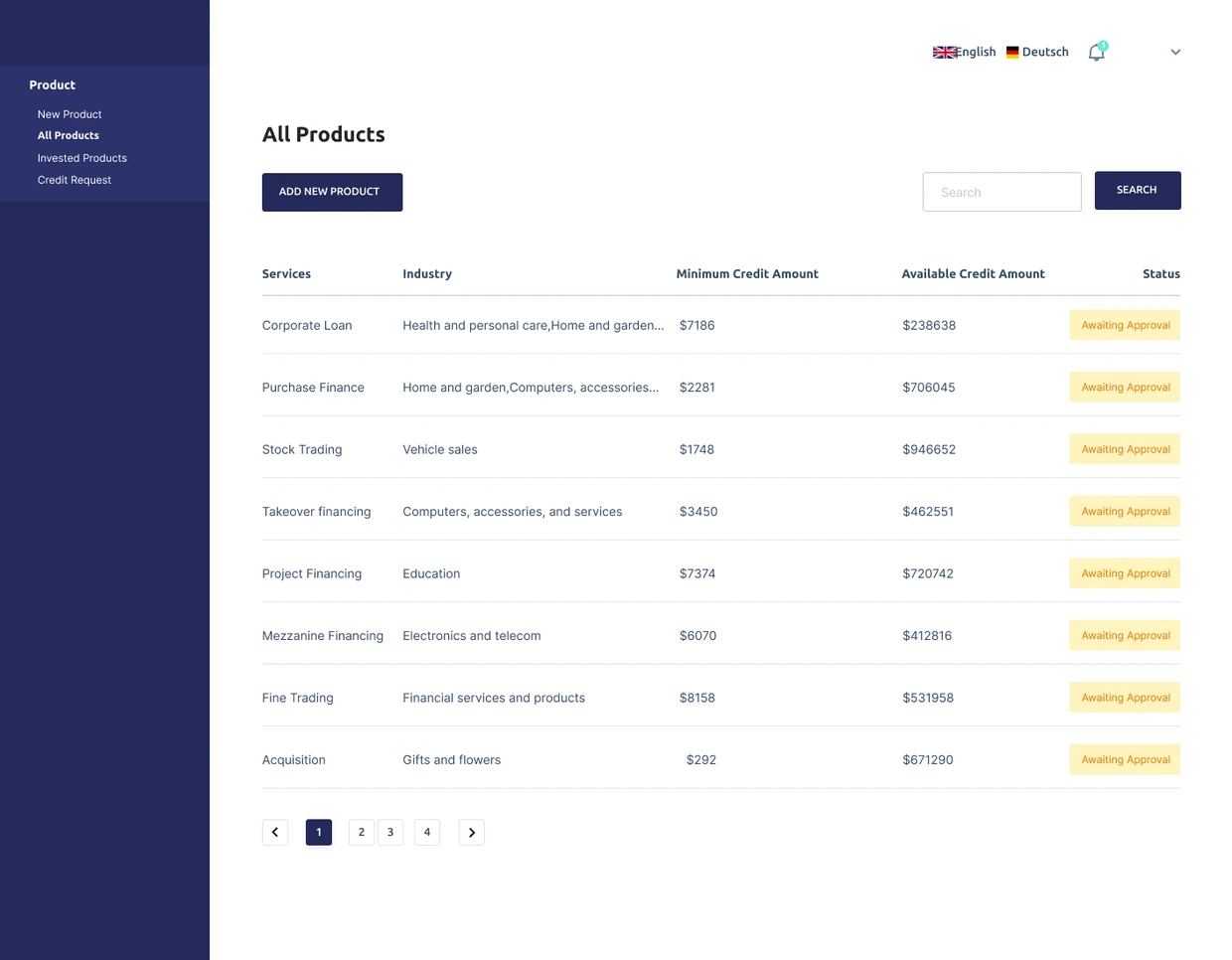
An investor in piHub needs to define and compare products, then inspect credit requests. A creditor is trying to submit and follow an application. Giving both roles the same overview would hide that difference.
I use the product screens to ask what each role needs to know now and which action it is responsible for. Shared status language helps connect the views.
Distinguish three different concepts
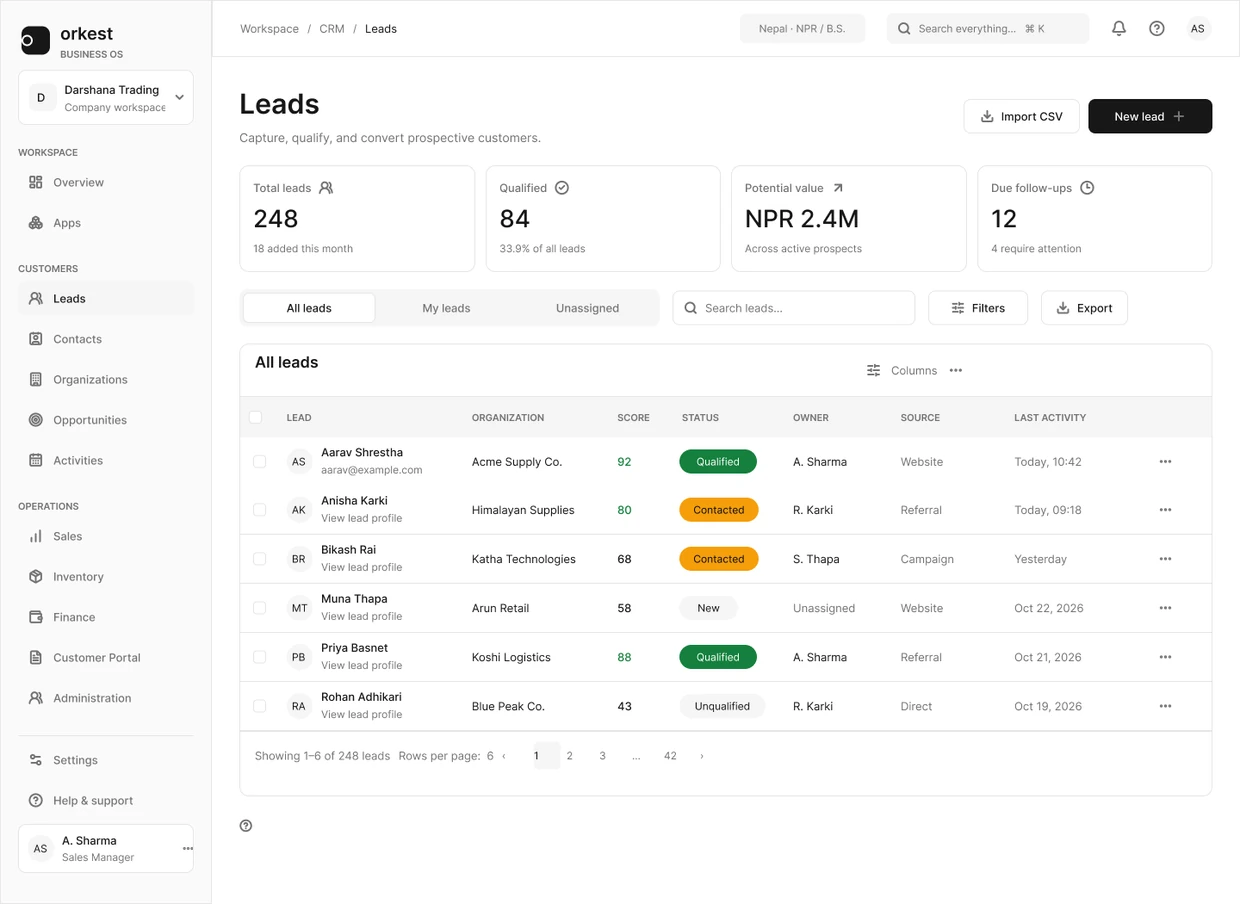
A role describes a responsibility or access context. Ownership describes a relationship to a record. A view organizes a question someone regularly asks. Mixing those concepts produces interfaces where a label such as My leads appears to promise an authorization boundary that may not exist.
In the Orkest CRM design, All leads, My leads and Unassigned are visible views. They show an ownership model, not evidence that the backend enforces who can read or change a record.
Map tasks and actions before designing variants
| Review dimension | Specify separately |
|---|---|
| Record visibility | Which records may this person read? |
| Field visibility | Which details may be disclosed? |
| Action | May they create, edit, assign, approve or export? |
| Transition | What state change can that action cause? |
| Recovery | What happens after access changes or an operation is denied? |
Share the meaning, change the priority
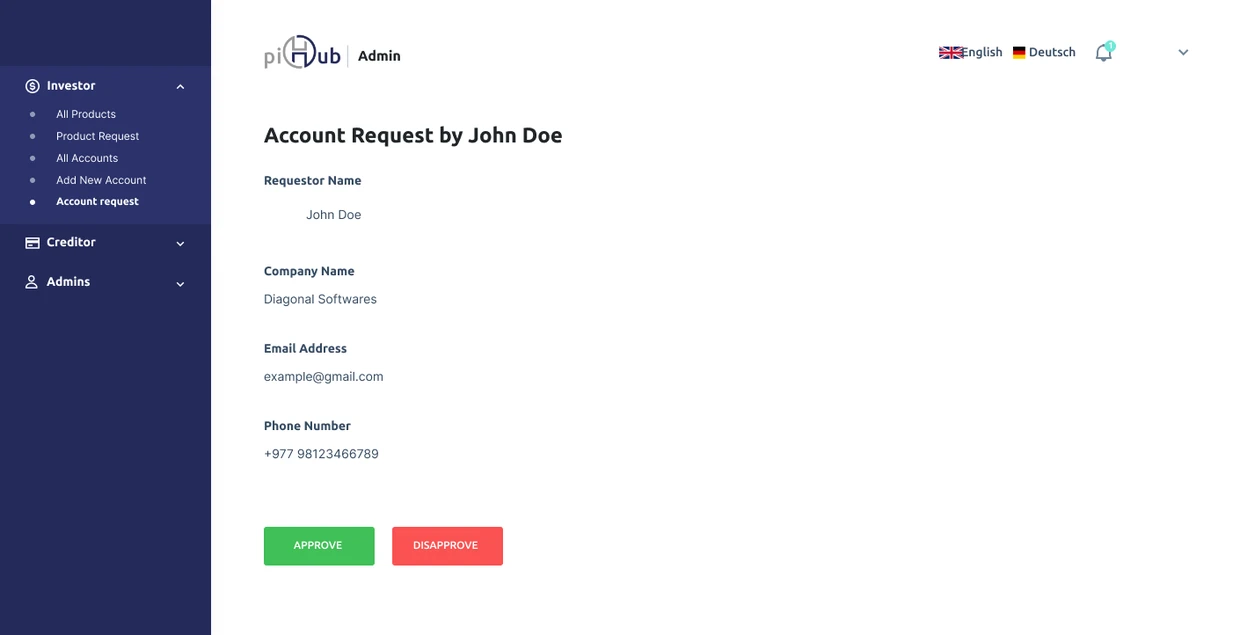
The administrator’s account-review view puts company details beside Approve and Disapprove. That is a different responsibility from browsing an investor’s products, so the hierarchy changes with it.
The roles can still agree on what Submitted or Awaiting Approval means. Permission enforcement needs server checks; these screens show how the intended responsibilities are presented.
Design denial without leaking information
An unavailable action needs an explanation appropriate to the situation. Hiding an action may simplify a routine view; showing a disabled action can explain a dependency. Neither choice by itself establishes security. The server must decide whether the request is allowed.
Be careful about revealing the existence of restricted records. Work with the product and engineering owners to decide what can safely be said, then make the recovery path useful within that boundary.
Test the boundary outside the happy path
- Open a direct record URL with a different role.
- Attempt the same action after ownership or access changes.
- Check export, search and bulk actions as well as individual buttons.
- Return to a stale tab after a session or permission change.
- Confirm that the interface explains the result without claiming a save that did not occur.
Judge the model by a shared scenario
Trace one example record across the relevant roles and write down what each person sees and may do. This makes inconsistencies easier to discuss than a gallery of disconnected dashboards. It also separates a design proposal from the engineering evidence required to call the permission model verified.
Inspect the denied state as a design artifact
The piHub administrator page includes the denial design below. It gives the person a Go Back route, but the screenshot cannot answer whether a direct request is blocked correctly or whether the explanation discloses too much.
Use an authorized test account to check those questions in the implementation. Keep the visual state, the permission rule and server enforcement as separate evidence.